
Press kit
Reel. A tape-style
recorder for iPhone.
Everything journalists, reviewers and creators need to cover Reel: logos, screenshots, photography, boilerplate copy, fact sheet and quotes. Download the full kit or grab individual assets.
Boilerplate
Pre-approved copy, ready to paste. Each block includes a copy button.
One-liner
Reel is a tape-style multitrack recorder for iPhone that you play like an instrument. Built for musicians, DJs and field recordists who want the feel of hardware in their pocket.
One-liner (shorter)
Reel turns your iPhone into a 4-track tape machine you play. Record, loop, reverse, scratch. Studio quality, no subscription.
Short description
Reel is a multitrack field recorder for iPhone built on tape machine ergonomics. Record four tracks at 32-bit float, up to 96 kHz, with DAW-tight timing. Scrub and scratch the disc like vinyl. Loop on the bar, run the tape in reverse, sync over MIDI or Ableton Link. Works with any class-compliant USB interface. One purchase, no subscription, no ads.
Long description
Reel is a tape-style multitrack field recorder for iPhone, built for musicians, DJs, songwriters, podcasters and field recordists who want the tactile feel of hardware in their pocket. Every control is designed for muscle memory. A large jog wheel lets you scrub through takes at variable speed. Transport controls mirror a traditional tape machine: record, play, stop, fast forward, rewind. Just like tape. Capture up to four tracks at 32-bit float / up to 96 kHz for archive-quality recordings with no clipping worries. Layer overdubs, punch in and out, loop any section. Connect any class-compliant USB-C audio interface with auto-routing on first connect. A natural fit for hardware jams, DJ sets, digitising a vinyl collection or tracking live instruments on the go. The 1.5 update changes what the app is. 46 new features in a build that runs three times lighter. The first Reel recorded your music. 1.5 is an instrument you play. Catch an idea, build it, perform it, print it, all on the tape. The engine was rebuilt around how tape physically moves, so the transport winds down and stops like a real machine while recordings stay clean. Overdubs land with DAW-tight timing. Loop a bar and stack takes without stopping. Drop in mid-loop and Reel waits for the boundary. The tape plays backwards and records backwards. Scratching runs on a new sample-accurate scrub engine. In DJ Mode the disc's pitch narrows to plus or minus ten percent like a real turntable, so beatmatching locks in. Plug into a pocket mixer like the TX-6 and the phone becomes a field turntable, playing the record you just cut. Master Record catches everything you do to the machine, every stop, scrub and scratch, in one stereo file. The other half of 1.5 makes Reel the brain of whatever you record with. MIDI sync locks the transport to your hardware for tight, on-the-grid takes. Ableton Link does the same over WiFi. There is a wait-for-sound mode that holds an armed take until audio actually arrives. Multi-output routing gives each track its own interface output. Cue points sit on MIDI notes, so pads can jump the tape around like a rough sampler. Any knob or fader can drive Reel through MIDI Learn. Whether it is a phone mic in a field, studio equipment over USB or a synced hardware rig, one recorder covers it. When an idea lands with none of that around, one press of the Action Button opens Reel straight into recording. Recordings save locally for privacy, with optional iCloud Drive sync. Export as WAV or AIFF, live in the Files app. One-time purchase. No subscription. No ads. No account required. Built by 24bit Studio.
What's new in 1.5
Reel 1.5 (July 2026) is the biggest release since launch. 46 new features in a build that runs three times lighter. The first Reel recorded your music. 1.5 is an instrument you play. Capture it Ideas die in the seconds it takes to get ready. One press now opens Reel already rolling. - Quick Record from the Action Button, Siri, Shortcuts, Spotlight, Control Center or the Lock Screen - Pre-roll keeps the moment before you pressed Record, so the start of an idea survives - Wait for sound: arm a take and the first note starts it - Overdubs and punch-ins land with full latency compensation, tight as a DAW Loop it So a captured idea can become a song in the same sitting. - Pick a length from 1 to 16 bars and takes end on the bar, then loop - Press record while a loop plays and the take drops in on the boundary - Stack overdubs without touching Stop - Record a reverse pass inside the loop On the grid Structure when you want it, free tape when you do not. Real tape never asked for a tempo. - Bars timeline with a Bar:Beat display and bar jumps in both directions - Visual metronome, custom time signatures, tap tempo - Count-in and auto-stop tie takes to the grid Sync it The dawless studio finally gets its tape deck. Reel becomes the brain of the rig. - MIDI sync in both directions, with song position - MIDI Learn for the mixer, transport, pitch disc and tempo - Cue points sit on MIDI notes, so pads jump the tape like a rough sampler - Bluetooth MIDI pairing in the app, plus Ableton Link in beta Mix it Mixing is hands on now. Every reel keeps its own mix. - A new mixer that pulls up over the main screen, with meters and input gain on every track - Double-tap a fader and it glides home like a motorized desk - Multi-output routing: each track out its own interface output, ten channels in total - Real 96kHz USB recording, with a sample rate picker that tells the truth Perform it Your recordings become material. Plug into a pocket mixer like the TX-6 and the phone is a field turntable, playing the record you just cut. - The engine models how tape physically moves. Winds, slowdowns and stops sound like a machine. Recordings stay clean. - Scratching is sample-accurate on a new scrub engine - In DJ Mode the disc's pitch range narrows to plus or minus ten percent, like a turntable, so beatmatching locks in - The tape plays backwards, records backwards, punches in backwards - Master Record catches the whole performance, every stop and scratch, in one stereo file Months of engine work went into efficiency. Reel runs cooler, records longer on a charge and feels smoother on older iPhones. That headroom is where the next ideas go.
Key features
Recording
- •32-bit float / up to 96 kHz capture
- •Up to 4 simultaneous tracks
- •Real-time monitoring
- •Clean, uncolored capture
- •WAV and AIFF export
Tactile transport
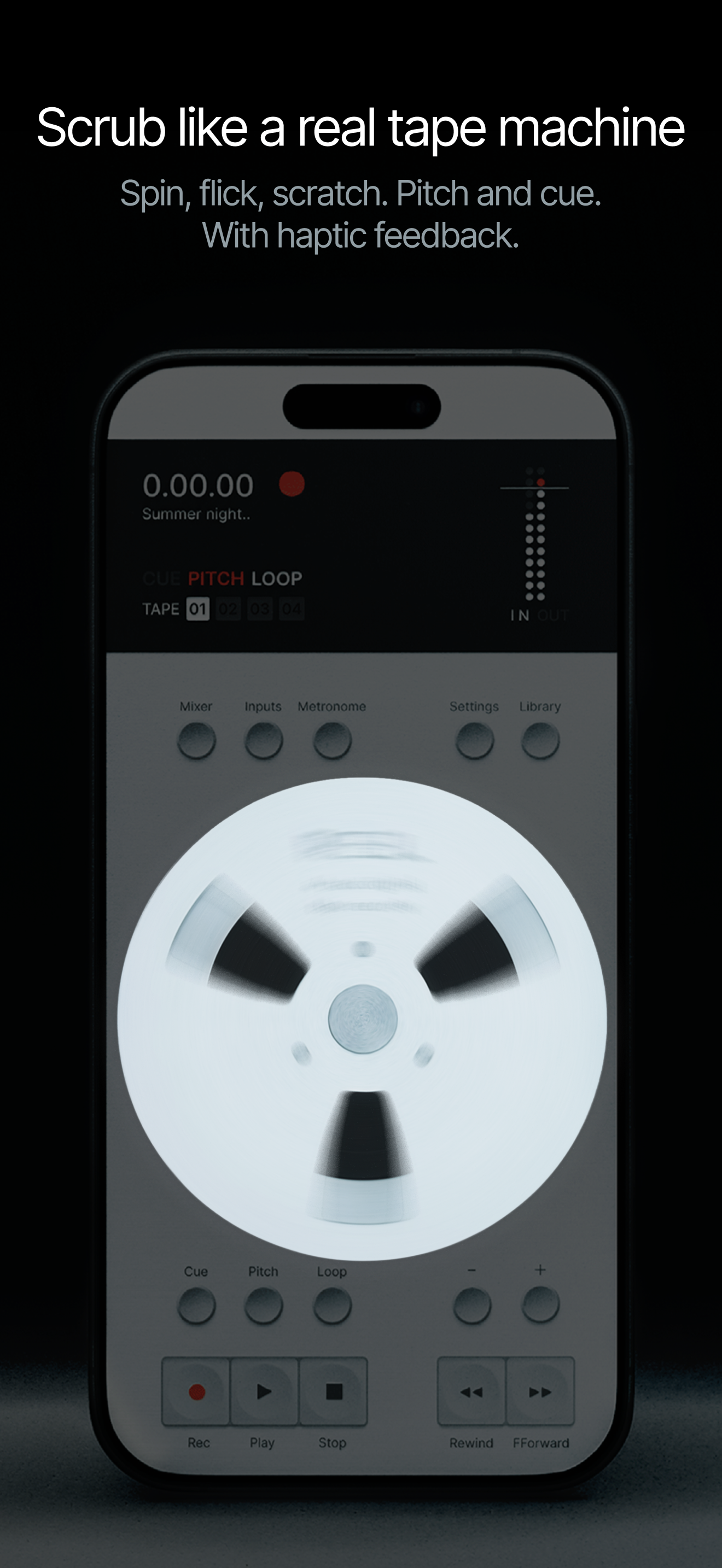
- •Large jog wheel for variable-speed scrubbing
- •Dedicated record, play, stop, fast forward, rewind controls
- •Tap to jump, hold to scrub, double-tap stop to return to zero
- •Haptic feedback on supported devices
Quick Record (new in 1.5)
- •Action Button opens Reel straight into recording
- •Control Center and Lock Screen controls, Siri, Shortcuts, Spotlight
- •Pre-roll catches the sound before the press
- •Wait for sound: the first sound starts the take, sample-accurate
- •Records as tight as a DAW: full latency compensation, sample-accurate metronome
Multitrack workflow
- •Layer overdubs across 4 tracks
- •Punch in and out
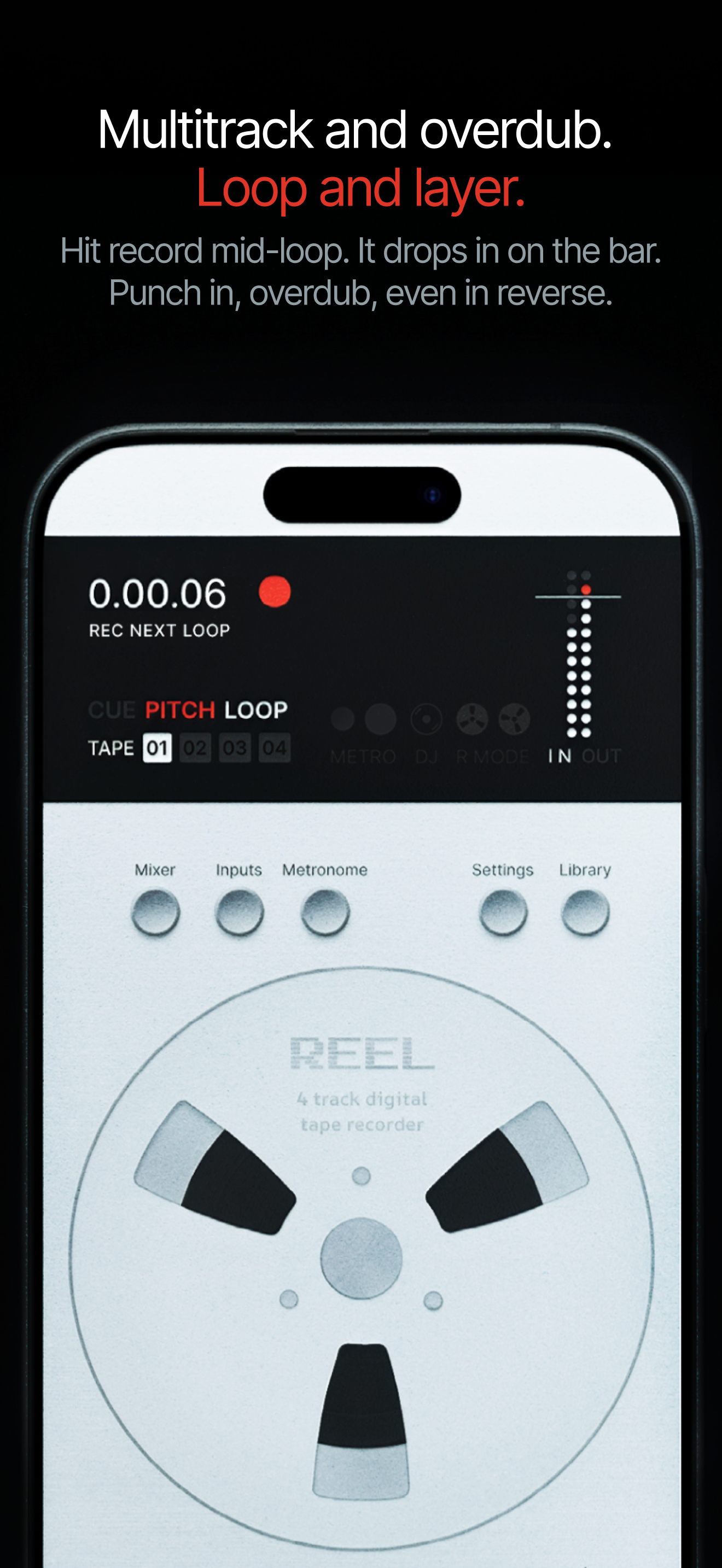
- •Loop any section, hit record mid-loop and it drops in on the bar
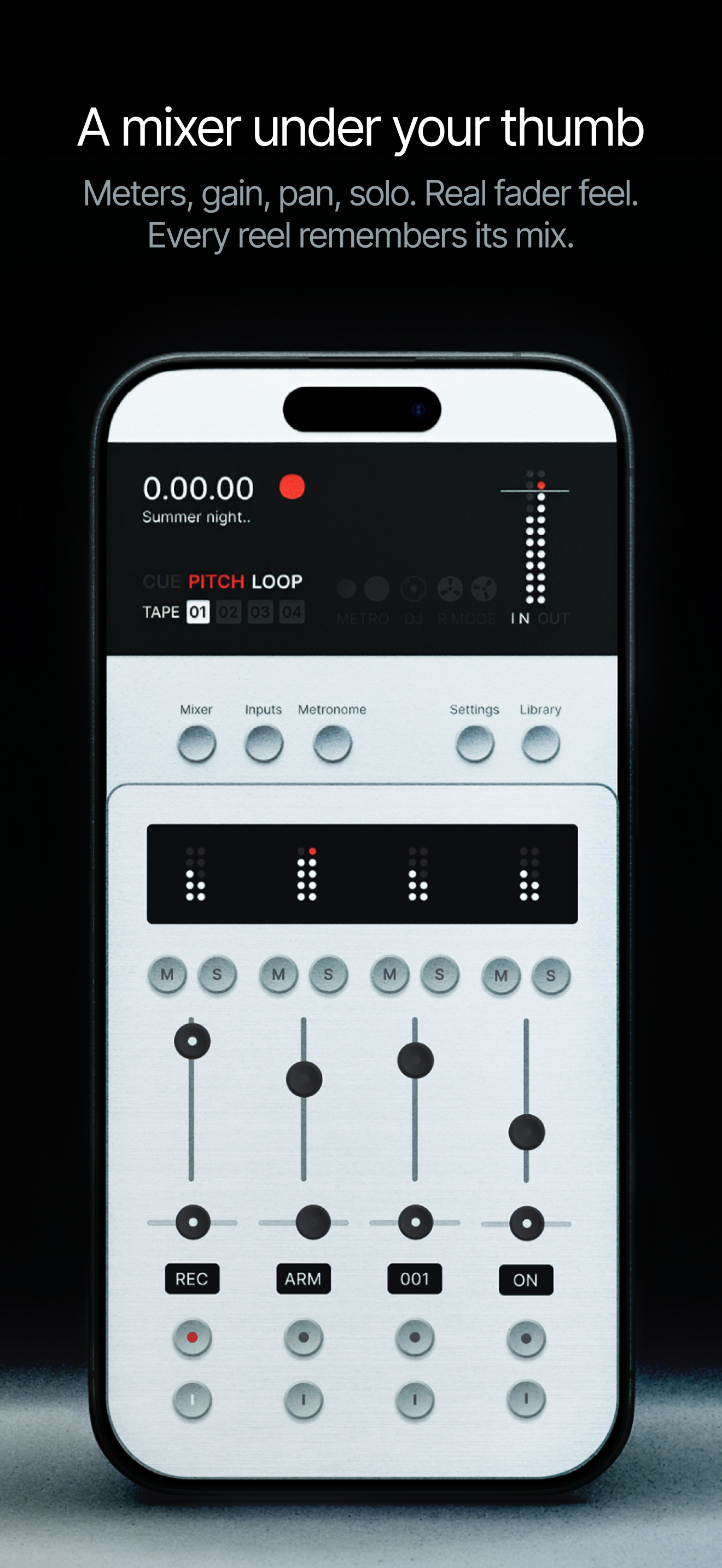
- •Per-track volume, pan, mute, solo, saved per reel
Looper (new in 1.5)
- •Record Length picker: takes end sample-exact on the bar and loop instantly
- •Hit record mid-loop, the take drops in on the loop boundary
- •Stack loop overdubs without stopping the transport
- •One-pass reverse loop takes
- •Beat-grid snap for loops and cues
Tempo + cues (new in 1.5)
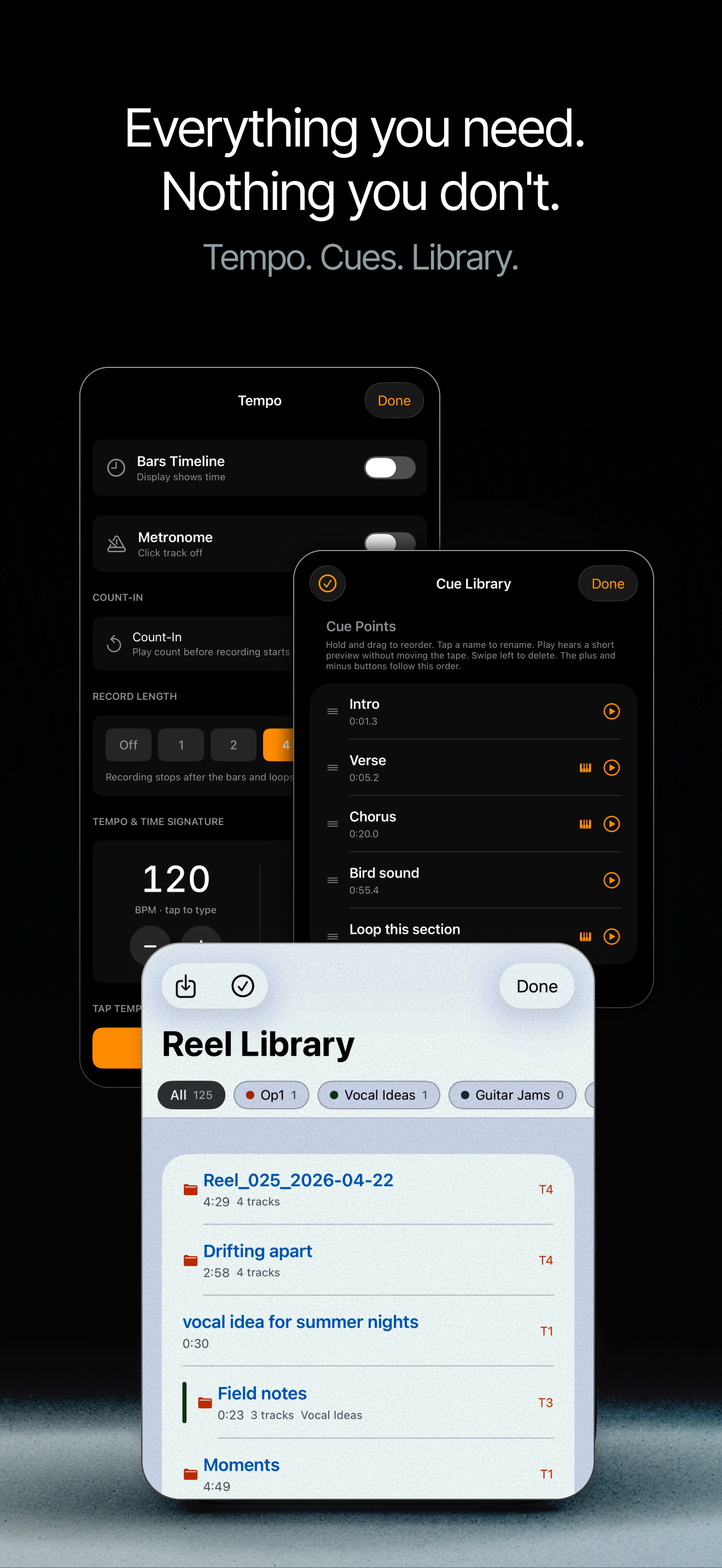
- •Visual metronome, custom time signatures, tap tempo and BPM ramp
- •Bars timeline: Bar:Beat display, jump by bar
- •Count-in and N-bar auto-stop tie takes to the grid
- •Cue Library: reorder, rename, preview, delete
MIDI + sync (new in 1.5)
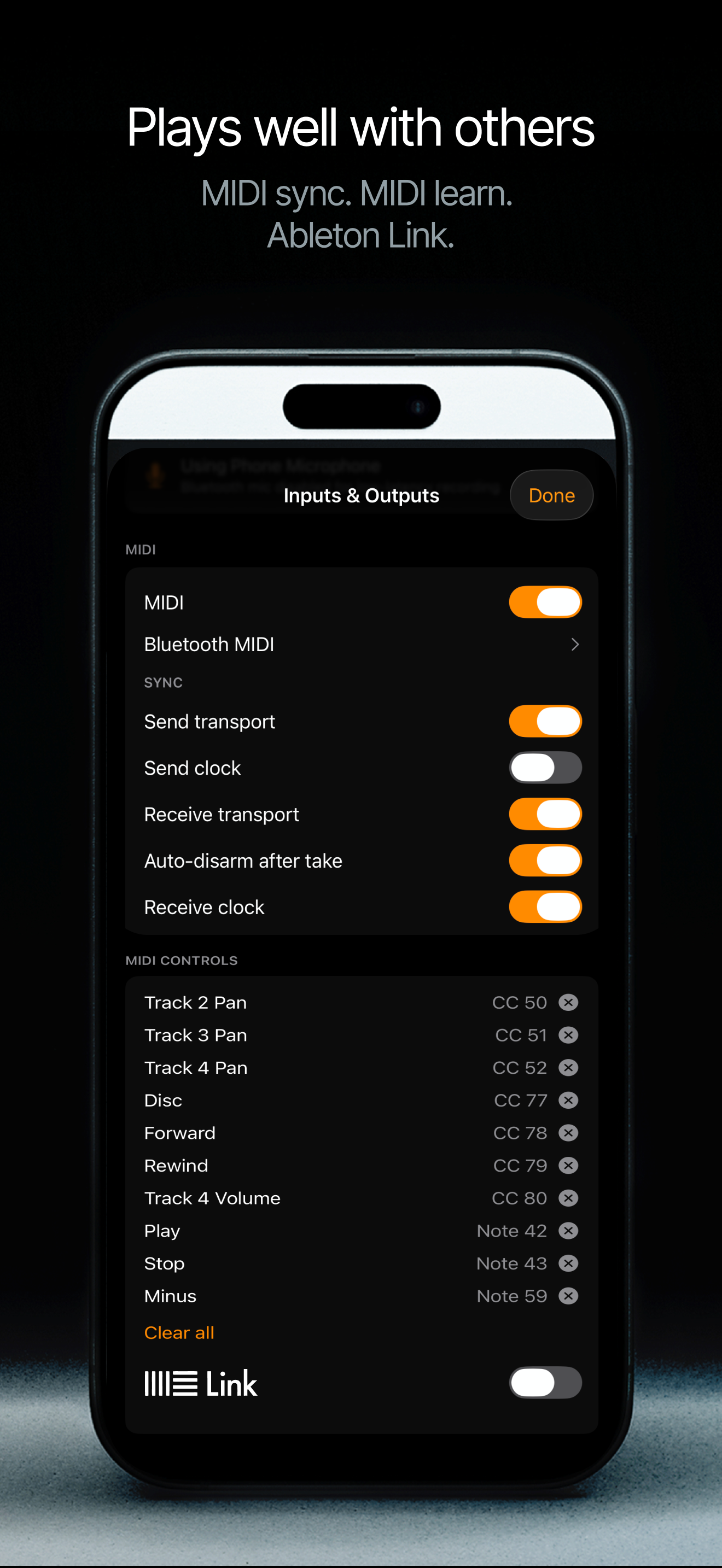
- •MIDI sync: transport, clock and song position, both directions
- •MIDI Learn: map any controller to mixer, transport, pitch disc and tempo
- •Bluetooth MIDI pairing inside the app
- •Map cue points to MIDI notes, play the tape from pads like a simple sampler
- •Ableton Link (beta): tempo and quantized start/stop over WiFi
Pro USB audio
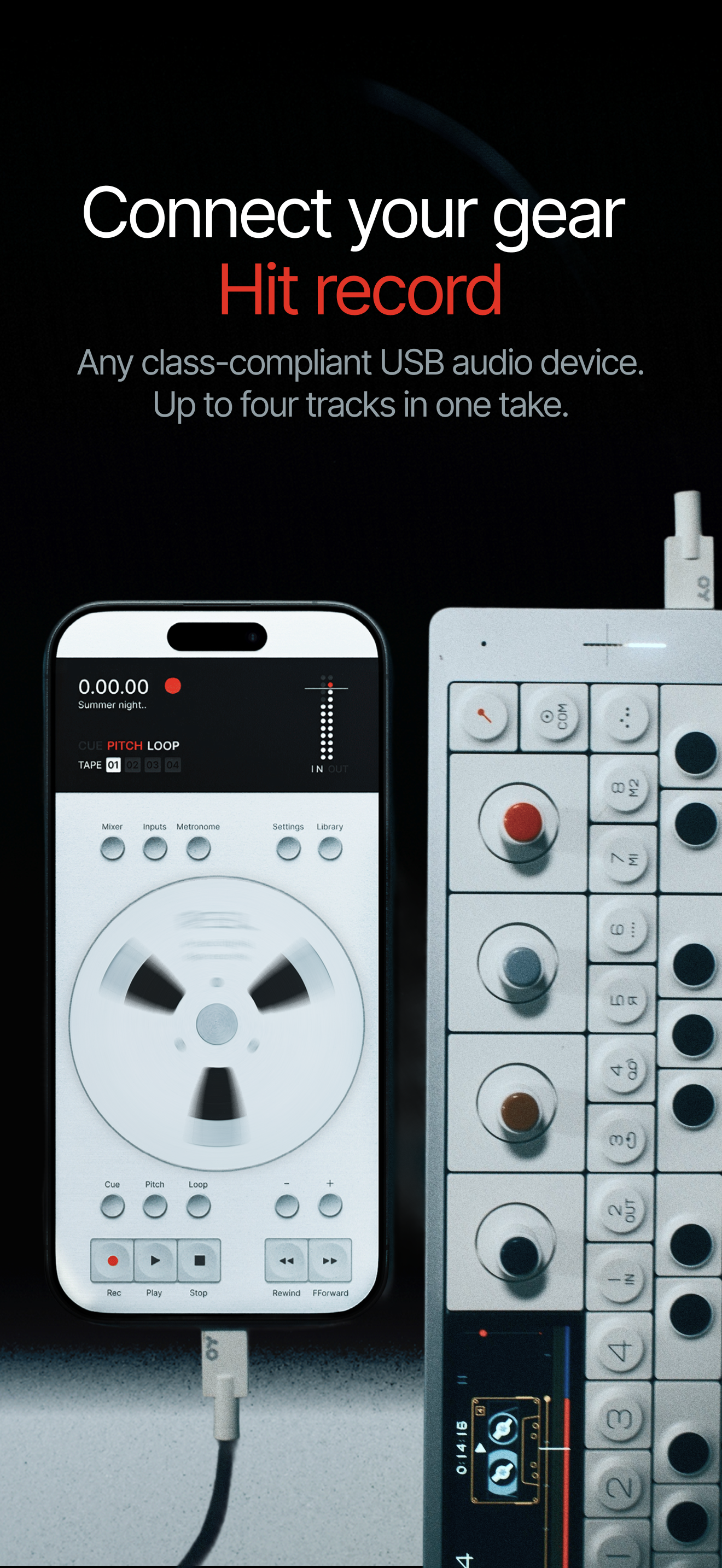
- •Class-compliant USB-C audio interface support
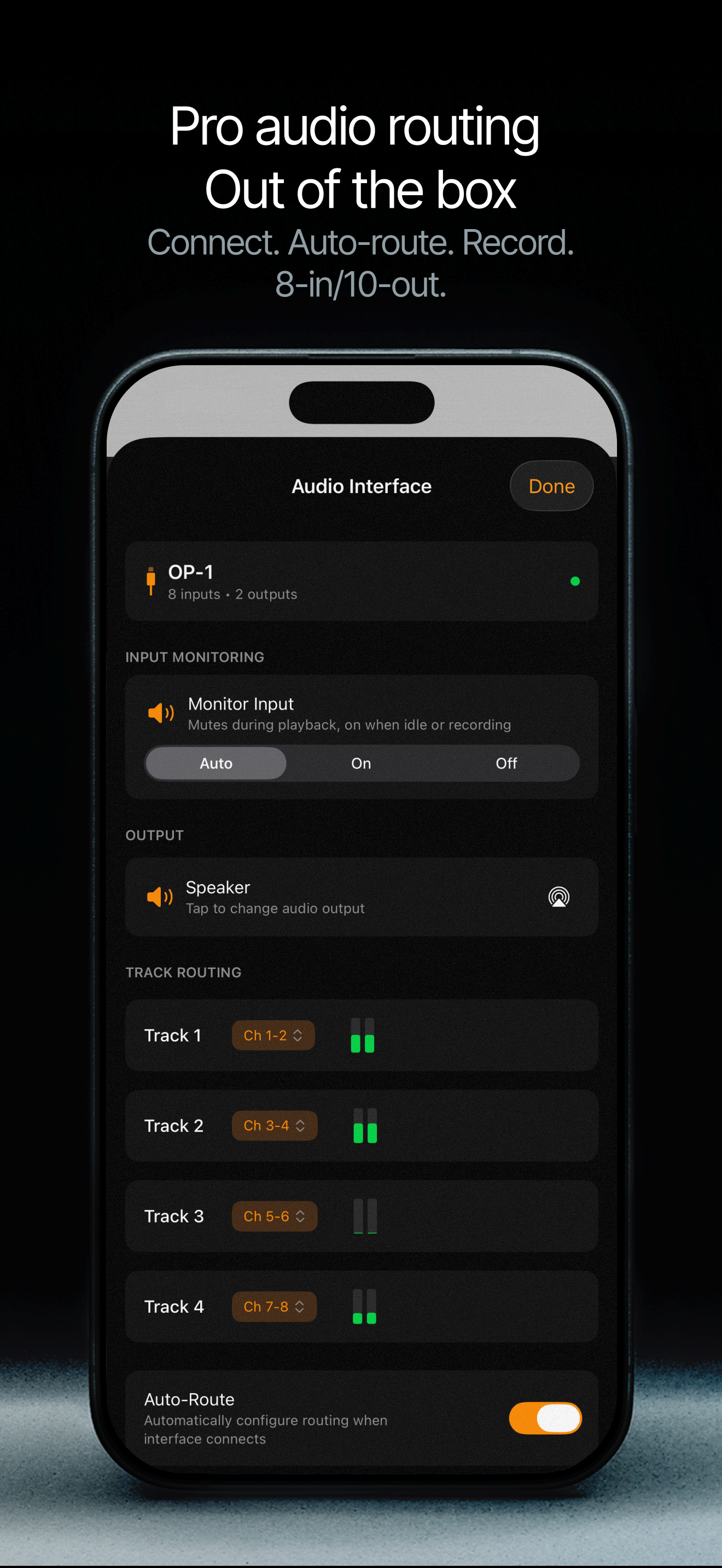
- •Auto-routing for stereo pairs on first connect
- •Per-device preferences remembered
- •Supports multi-input devices (up to 8 channels)
- •Independent per-track input monitoring with multi-channel interfaces
Mixer + routing (new in 1.5)
- •All-new mixer: pull-up sheet, per-track VU meters, dark mode
- •Per-track input gain, saved with the project
- •Motorized fader feel with haptic detents
- •Multi-output routing: each track to its own output pair, up to 10 channels out
- •Real 96kHz USB recording with an honest sample-rate picker
Play it like an instrument (new in 1.5)
- •Rebuilt audio engine: the transport moves like real tape
- •New sample-accurate scrub engine for scratching
- •DJ Mode: scratch your own recordings like vinyl; pitch narrows to ±10% like a turntable for beatmatching
- •Reverse playback, reverse overdub, reverse punch-in
- •Varispeed pitch, tape stops with three feels, semitone mode
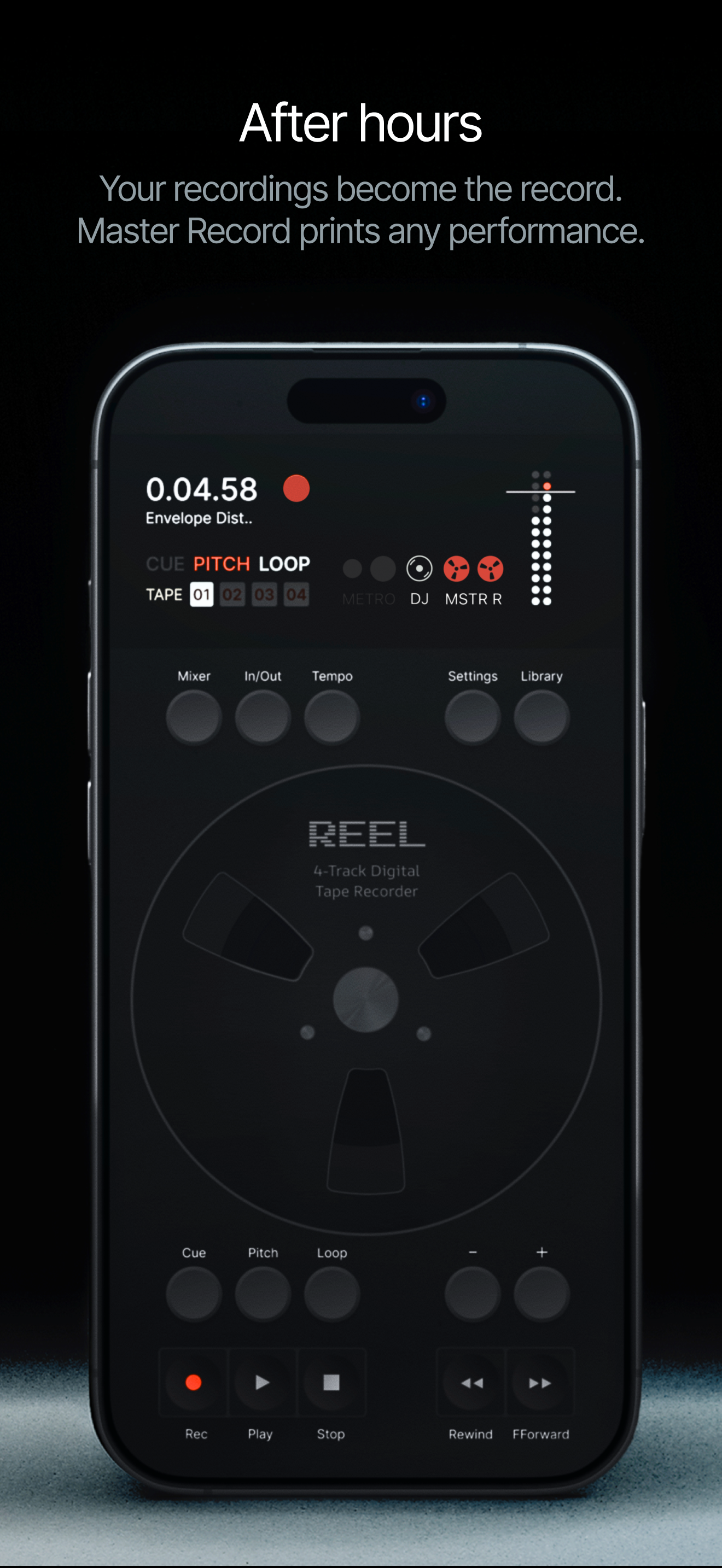
- •Master Record captures the performance of the machine: tape stops, scrubs, pitch moves, scratches
- •Resample prints the master output onto a project track
Performance (new in 1.5)
- •About three times lighter than the last release
- •Runs cooler, records longer on a charge
- •Smoother on older iPhones
- •Instant stop after punch-ins
Local-first + Files app
- •Recordings save locally on your device for full privacy
- •Optional sync via your own iCloud Drive
- •Import audio from the Files app to use Reel as a music player
- •Live in the Files app. Your audio, your control.
- •No account required, no proprietary cloud lock-in
Fair pricing
- •Price: £14.99 / $14.99 / €17.99
- •One-time purchase, no subscription, no ads
Fact sheet
- Name
- Reel
- Developer
- 24bit Studio
- Founder
- Tug
- Platform
- iPhone, iOS 18.0 or later
- Launch date
- May 7, 2026
- Current version
- 1.5 (July 2026)
- The 1.5 update
- 46 new features, about three times lighter. Runs cooler, lasts longer on a charge and feels smoother on older iPhones. Adds a new and improved looping mode, a bars timeline, reverse recording, DJ Mode, Master Record, MIDI sync and learn, Ableton Link, an all-new mixer, multi-output routing and Quick Record from six iOS surfaces.
- Availability
- Worldwide on the App Store (175 countries)
- Languages
- English
- Price
- £14.99 / $14.99 / €17.99 (one-time purchase)
- Top Paid Music
- Top 10 Paid Music App in 71 App Store territories. Peak positions: #1 in UK, Spain, Sweden, Finland, Norway, Portugal, Canada, Denmark, Slovakia, US, Australia, Hungary, Ecuador, Croatia, Iceland, Paraguay, Slovenia, Ireland, Chile, Estonia, Luxembourg, South Korea, Serbia, Lebanon, Pakistan, Bulgaria, Latvia, Greece, Israel, Lithuania, Belarus, Moldova and Uruguay; #2 in Tajikistan, Malta, Germany, Netherlands, Switzerland, Belgium, Austria, Czechia, Kazakhstan, Poland, Japan, Argentina, Armenia, Turkey, Oman and Cyprus; #3 in Malaysia, Hong Kong, Taiwan and Colombia; #4 in Brunei, France, Russia, Italy, Mexico, Nigeria, Thailand and New Zealand; #5 in India, Indonesia and Philippines; #6 in United Arab Emirates, Singapore and Ukraine; #7 in Romania; #9 in Brazil; #10 in Vietnam and Dominican Republic.
- Top 10 Paid App
- Top 10 Paid App across all categories in 11 App Store territories. Peak positions: #1 Iceland, #4 Estonia, #6 Croatia, #7 Slovenia, #8 Sweden, #8 Uruguay, #8 Lithuania, #9 Ireland, #10 Denmark, #10 Finland and #10 Moldova.
- Top 15 Paid App
- Peaked between #11 and #15 Paid App across all categories in a further 10 App Store territories: #11 Spain, #11 Israel, #12 Czechia, #12 Hungary, #12 Norway, #12 Portugal, #13 UK, #13 Lebanon, #13 Pakistan, #14 Luxembourg.
- Top 50 Paid App
- Peaked between #16 and #50 Paid App across all categories in a further 22 App Store territories: #16 Serbia, #17 Armenia, #18 Canada, #19 Oman, #19 Poland, #20 US, #20 Belgium, #20 Latvia, #20 Nigeria, #20 Slovakia, #20 Greece, #21 Netherlands, #22 Bulgaria, #24 Australia, #24 South Korea, #25 Italy, #29 Chile, #31 New Zealand, #31 Paraguay, #35 Germany, #36 Argentina, #37 Switzerland.
- Audio
- Up to 4 tracks at 32-bit float / up to 96 kHz. WAV and AIFF export.
- Hardware
- Class-compliant USB-C audio interface support: up to 8 channels in, 10 channels out with per-track output routing.
- Website
- https://www.reelaudio.app
- Press contact
- contact@reelaudio.app
Logos
Two variants: the Reel wordmark for general use and the “Reel by 24bit Studio” lockup for formal attribution. Please do not alter, recolor or crop either. Use the vector where possible.




App icon


Screenshots
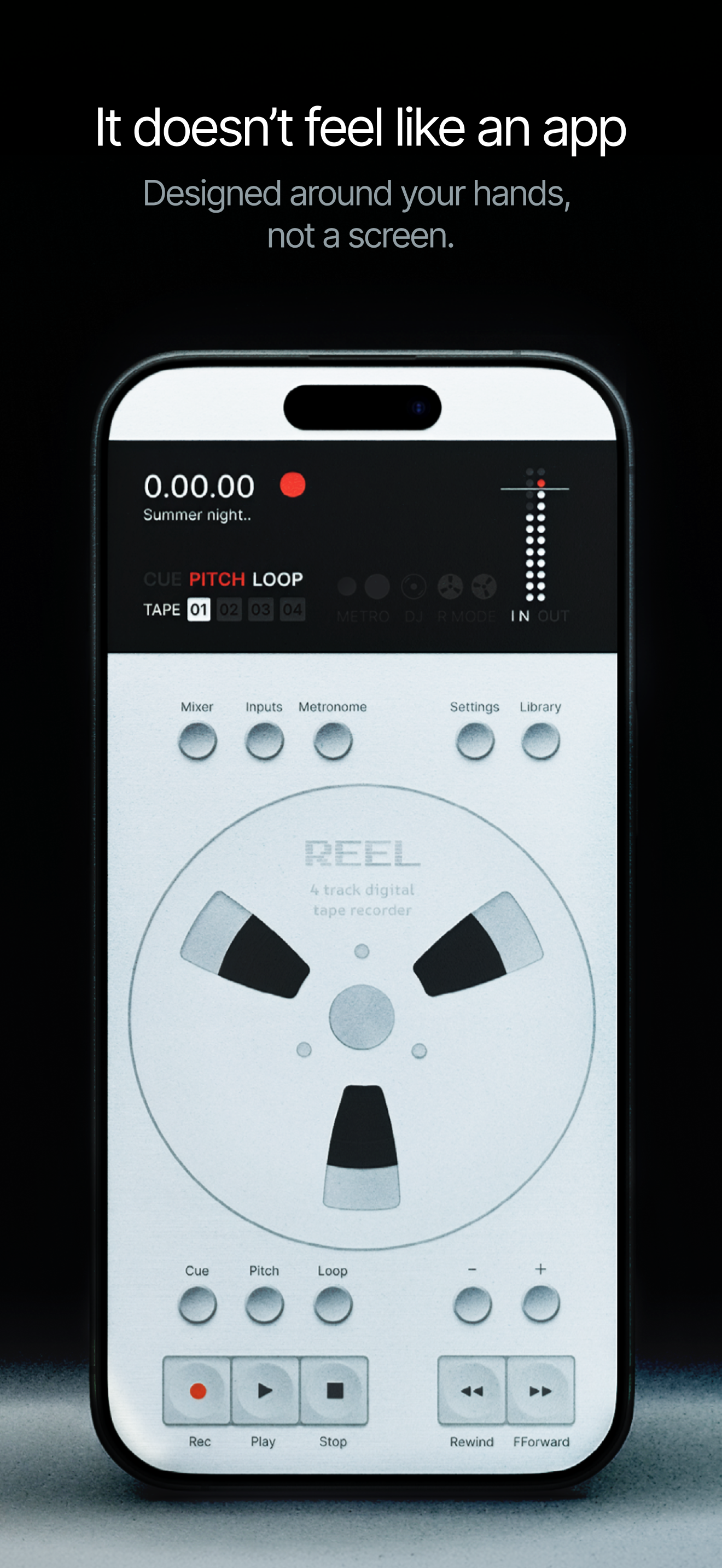
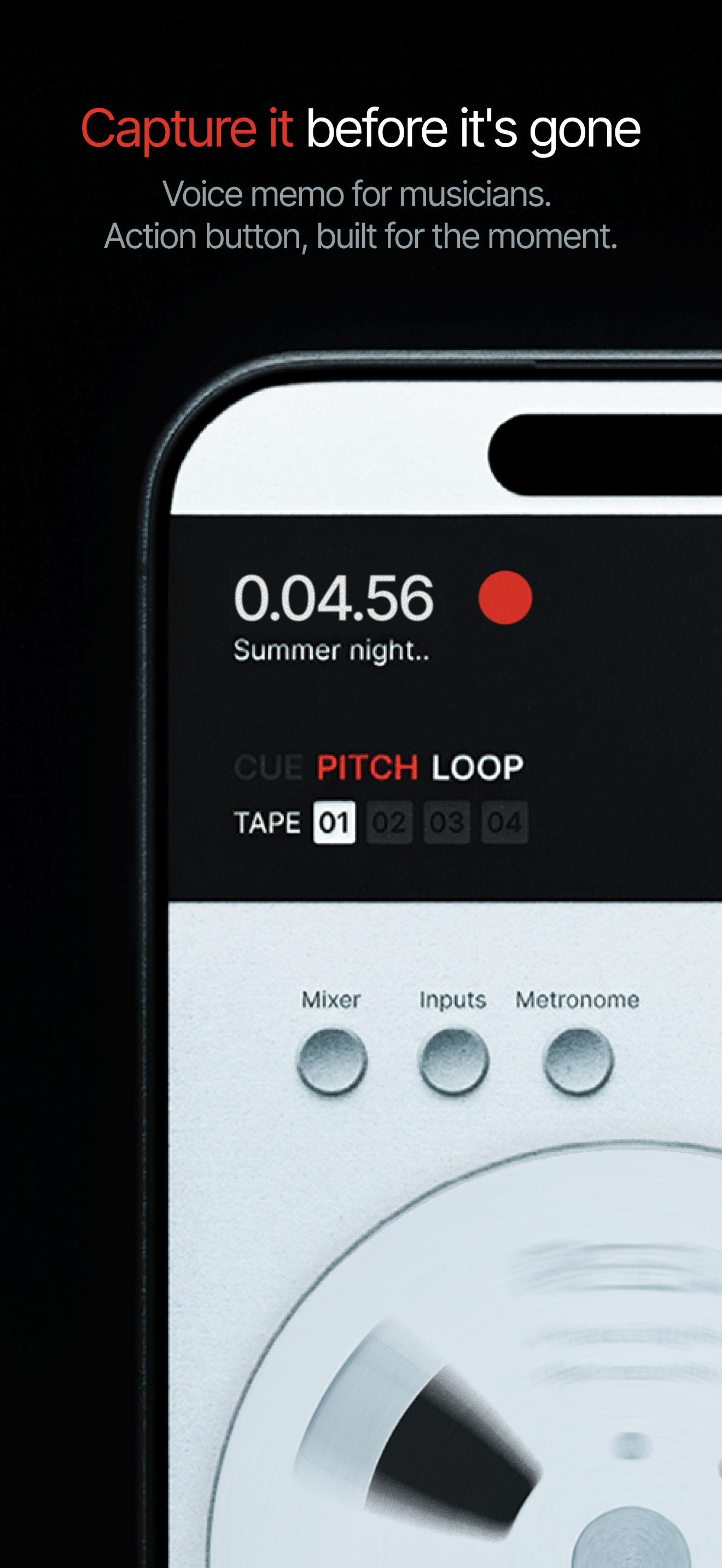
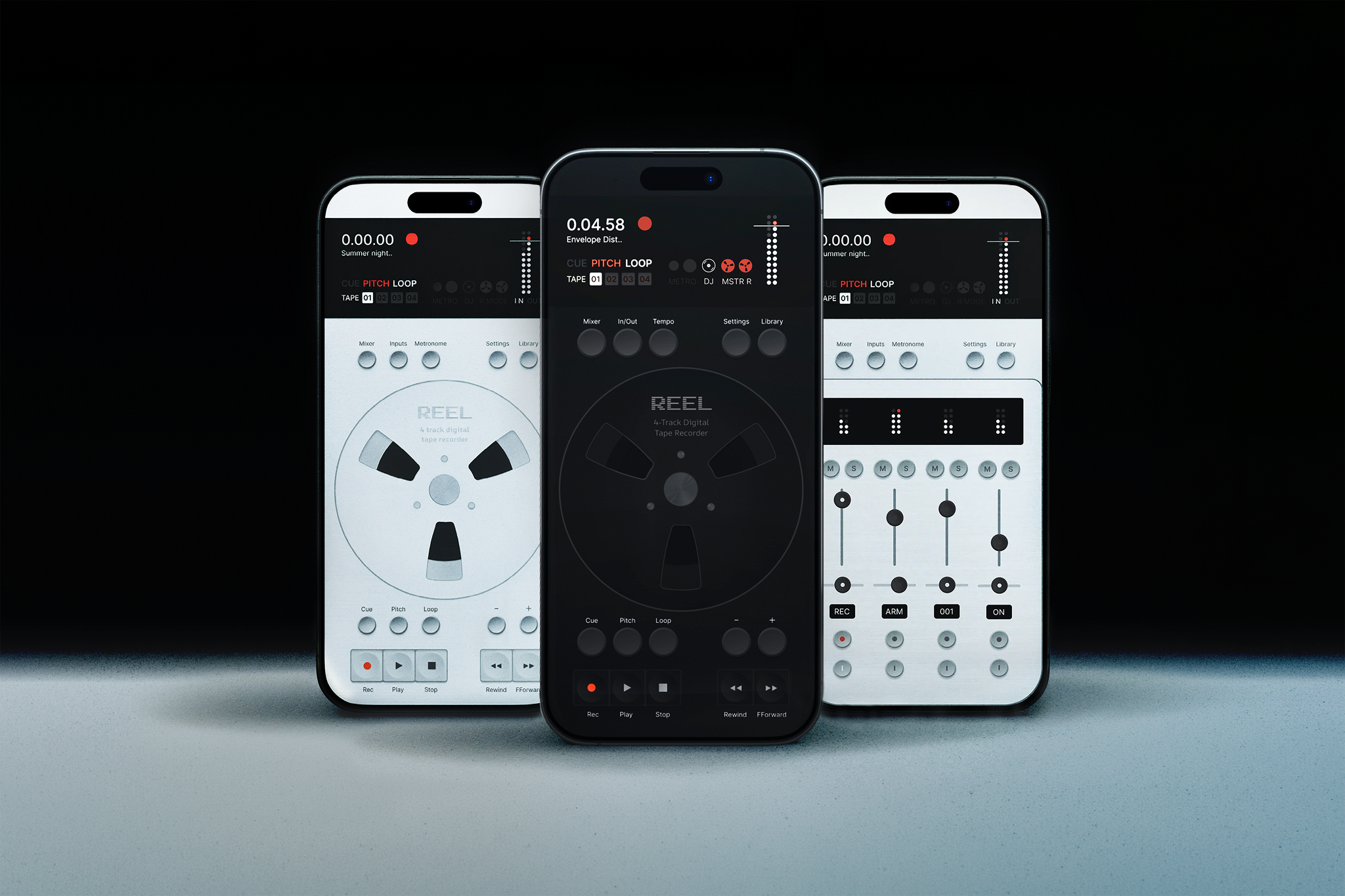
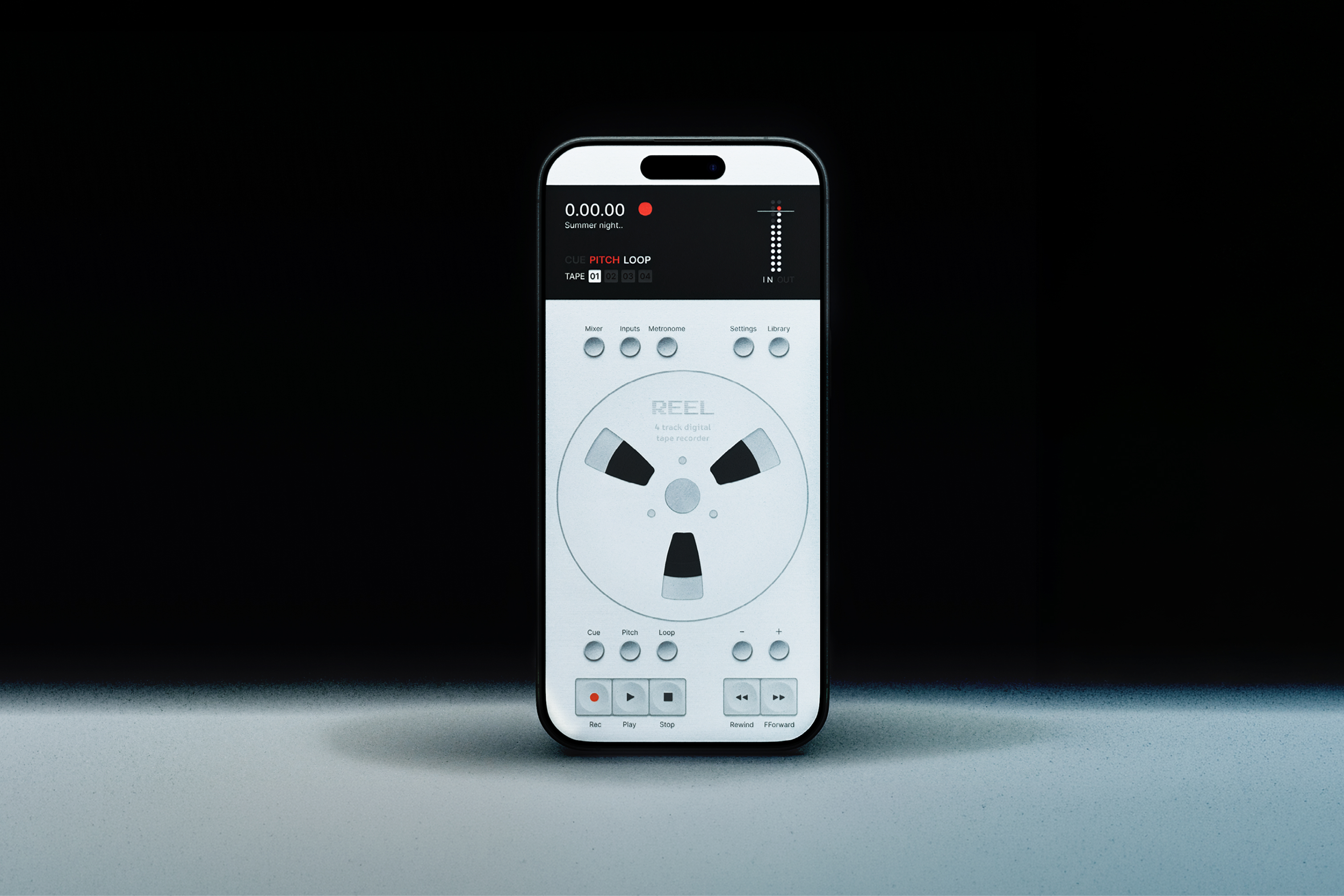
High-resolution iPhone screenshots, no device frames.
Photography
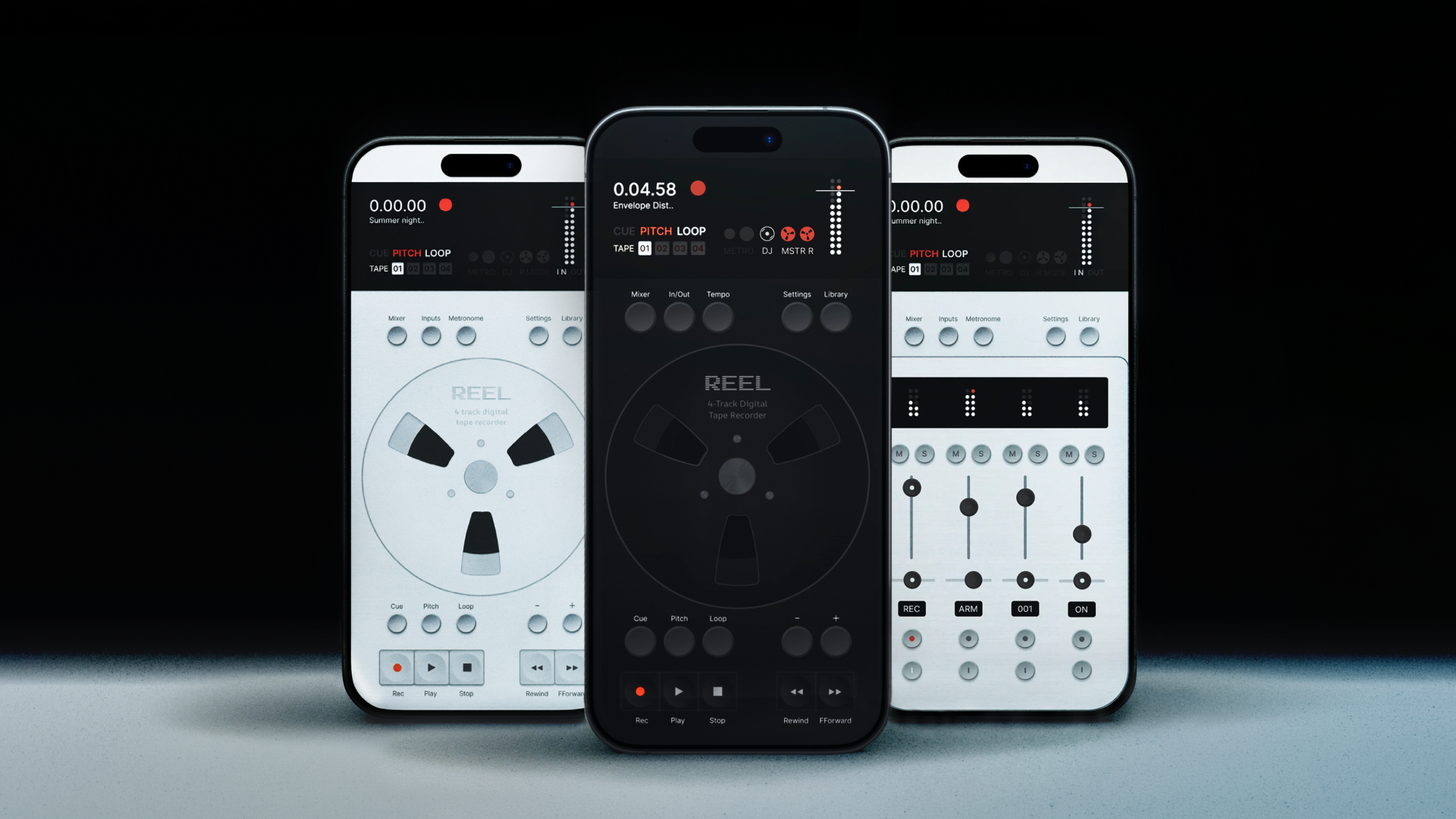
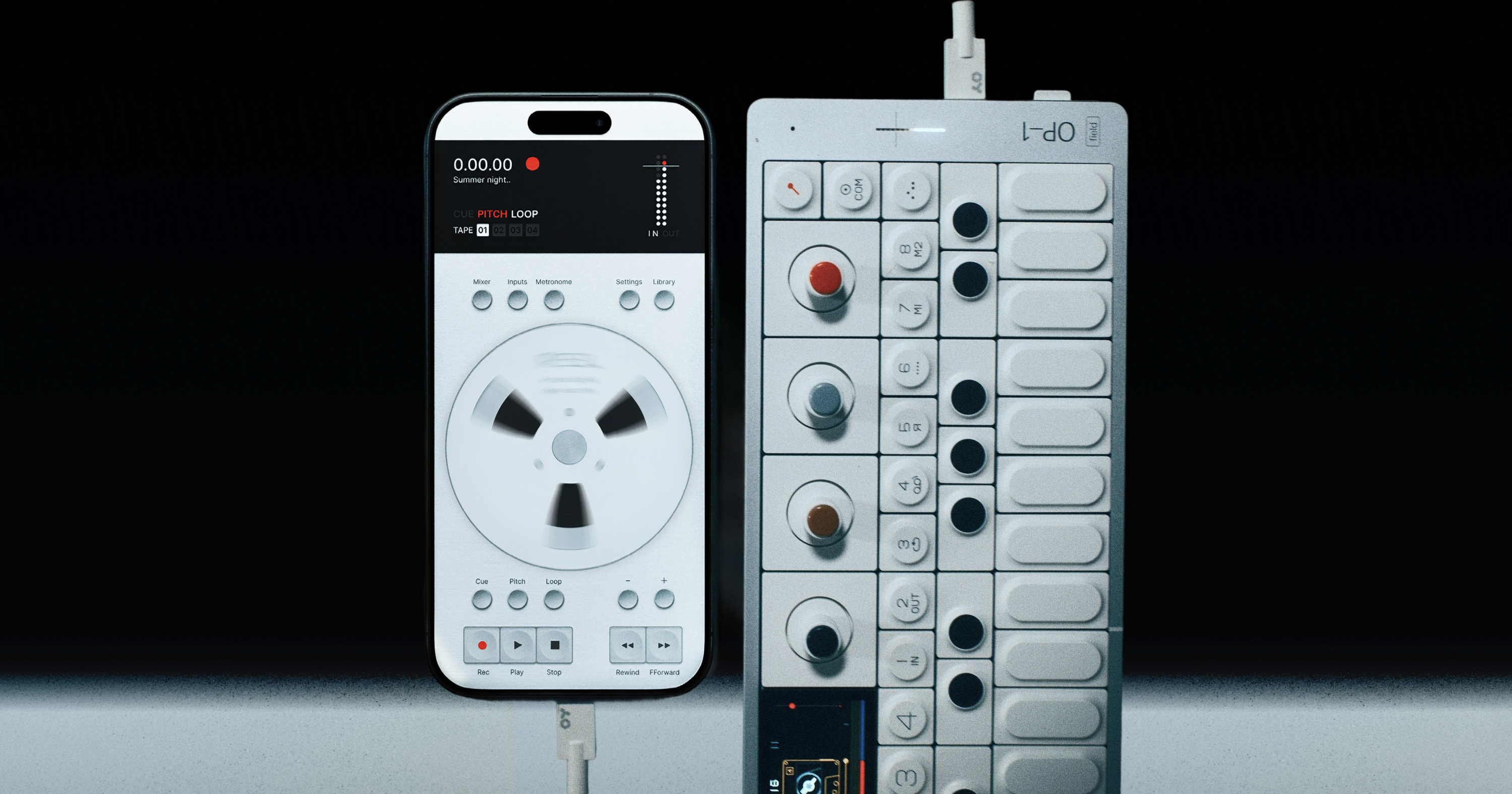
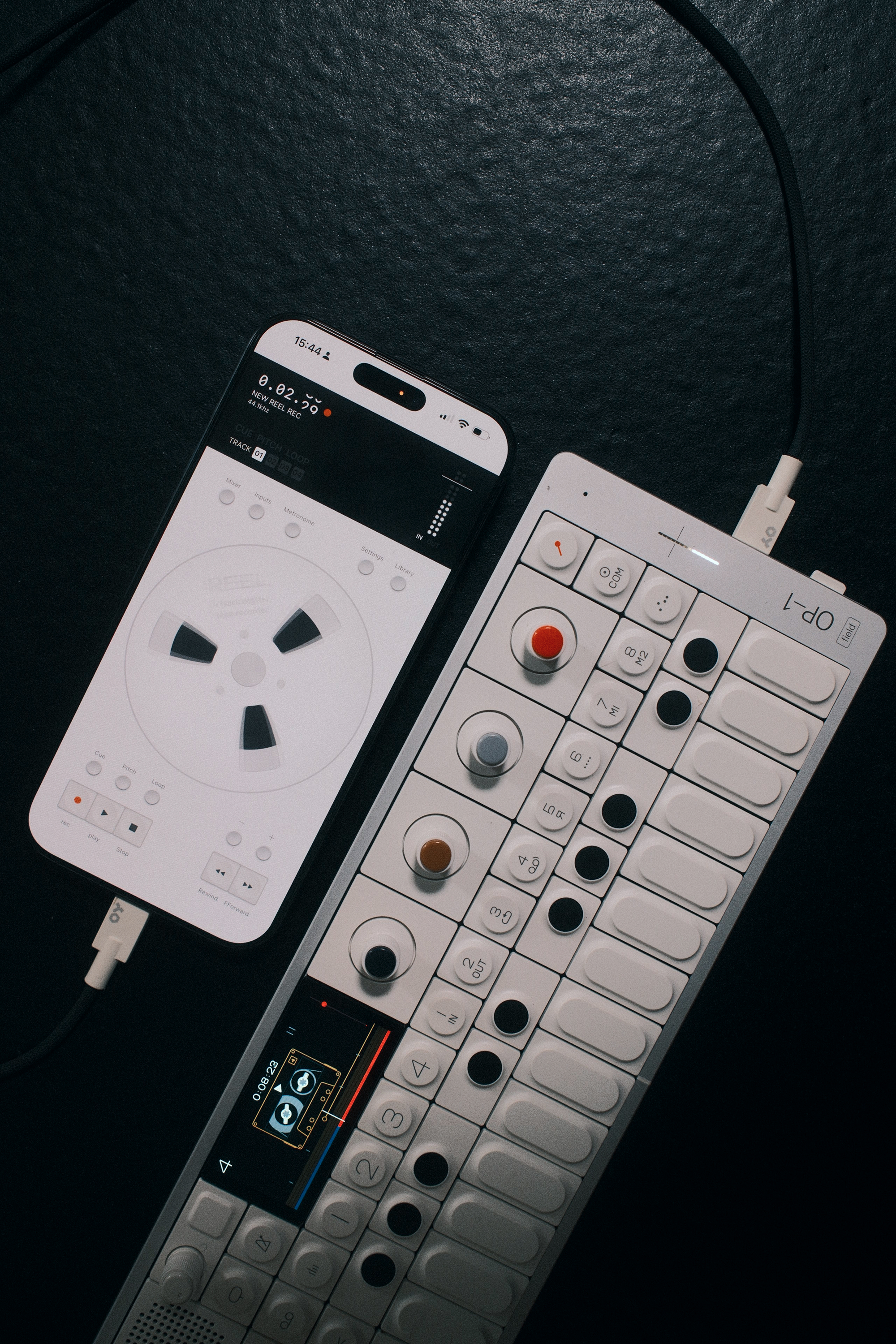
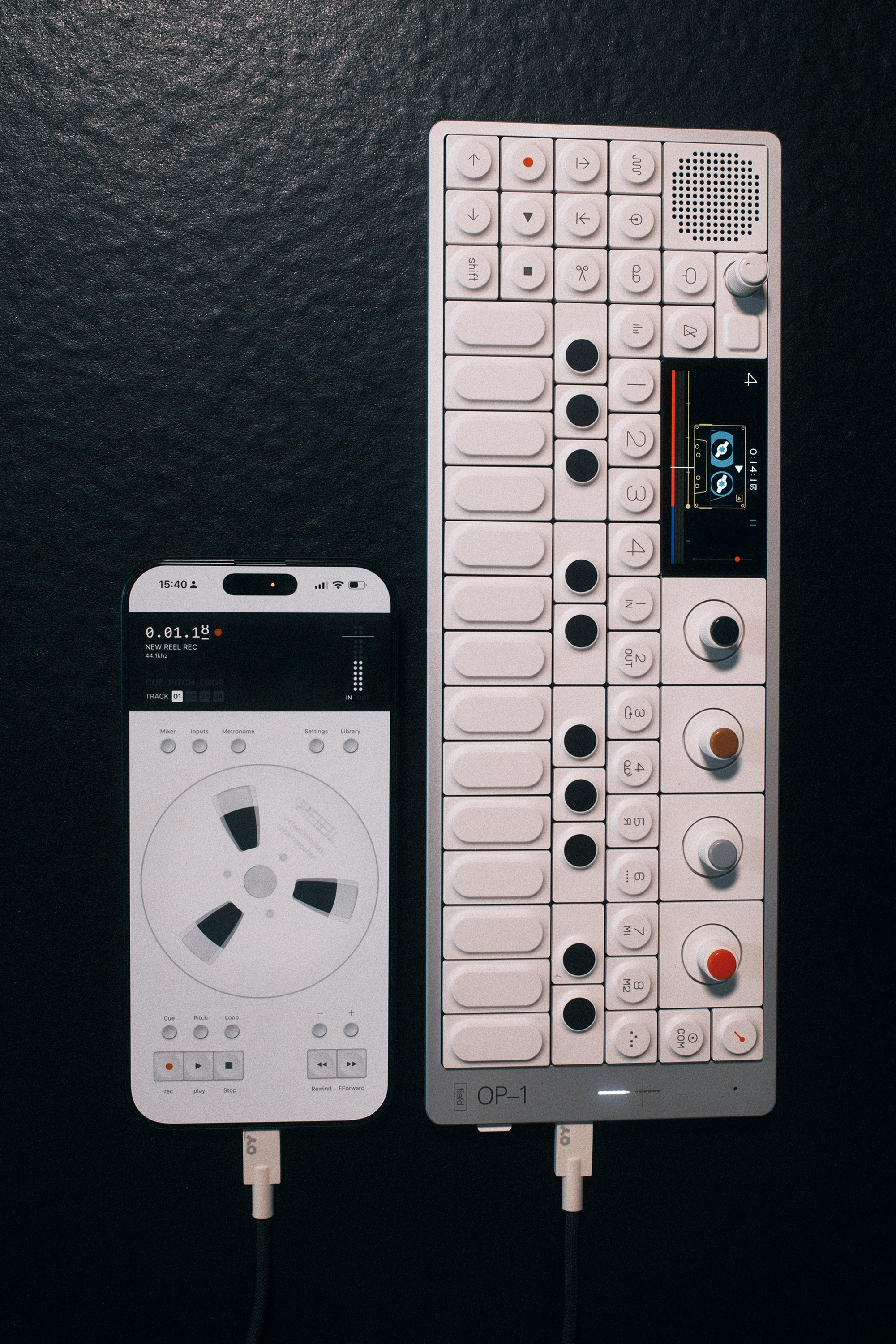
Marketing shots and lifestyle photography.
Documents
Founder bio
Version A (formal)
Tug is the founder of 24bit Studio, an independent UK-based studio building iOS tools that work in a hardware environment. The mission: software that encourages you to work with the real world or alongside your gear rather than staring at a screen. Reel is the studio's first release, a tape-style multitrack recorder for iPhone born from a love of tactile recording hardware and a belief that mobile tools should feel as good as the machines that inspired them.
Version B (personal)
Tug is a designer and developer based in Bristol. In an earlier chapter he DJed at venues, did production work in a studio and ran the Native Instruments Bristol meet-ups. Six months ago he went full-time on software and founded 24bit Studio, with a mission to build iOS tools that work in a hardware environment. Software that gets you out of the screen and into the world or alongside your gear. Reel is the first.
Quotes
Pre-written quotes, ready to attribute to Tug, founder of 24bit Studio.
On the 1.5 update
“The first Reel recorded your music. 1.5 is the field recorder you play. You can scratch a take like vinyl or run the tape backwards. Your pads can launch cues like a sampler. Master Record keeps every stop and scratch you make. It plays well with everything else too. Sync it over MIDI or Ableton Link and it locks to whatever is in the room.”
Tug, founder, 24bit Studio
On why I built it
“Reel started as a fix for two problems I kept hitting with my OP-1 Field. It has tape built in, but only four reels of it, so I'd fill them up mid-session and have to sacrifice takes to keep going. Other times I'd just jam and not commit anything to tape at all. I built Reel to catch both. Once I added proper USB audio it opened up to any class-compliant interface or instrument. Plug in, press record, forget about it. The take is always there, ready to export to a DAW later.”
Tug, founder, 24bit Studio
On what's different
“Reel is an iOS app built to feel like hardware. Software that gets you away from software. It's meant to live alongside your gear, not replace it. There's a moment between hearing a thing and committing it to tape, where most tools ask you to set up, configure, think. That's where ideas die. Reel shortens that moment to zero. Plug in, press record. You can think later.”
Tug, founder, 24bit Studio
On who it's for
“Songwriters catching a lyric in the back of an Uber. Dawless producers plugging an interface into an iPhone instead of a laptop. Field recordists and podcasters working in the world. Anyone who's ever wished their phone felt more like a real instrument and less like a clipboard with a microphone.”
Tug, founder, 24bit Studio
On what I'm building
“I'm building iOS tools that work in a hardware environment. Software that gets you working with the real world or alongside your gear, not staring at a screen. Reel is the first of them.”
Tug, founder, 24bit Studio
On the beta community
“I posted about the problem on Reddit half expecting nobody to care. Hundreds said they felt the same. Months later we had over a hundred beta testers shaping the app and 500+ people on the waitlist. Turns out the problem wasn't just mine.”
Tug, founder, 24bit Studio
On what you capture
“Reel is a Swiss Army knife for recording. Always in your pocket, always ready. Hardware jams at home, field recordings on a walk, vocal ideas the moment they land, a track tested at a new pitch on the train. Capture it, export to a DAW or share instantly.”
Tug, founder, 24bit Studio
Media contact
For interviews, review copies, demo codes or anything else, reach out directly. I aim to respond within 48 hours.
contact@reelaudio.appWhen writing, please include your outlet, deadline and which assets or interview format you need.